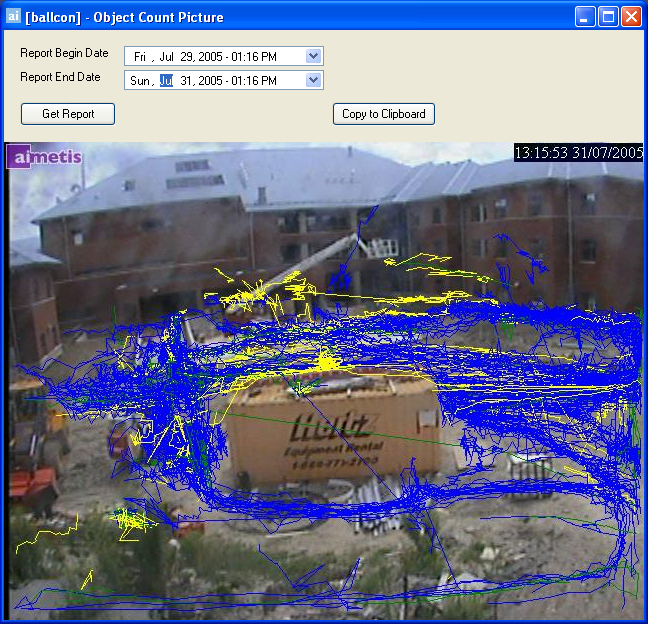
This is a default report which allows users to query the AIRA Server Database and generate a graphical report summarizing object traffic for the currently selected camera. To access the Object Count Picture dialog, click Search > Object Count Picture.
The Object Count Picture dialog opens.
The blue lines signify people traffic, the yellow lines signify vehicle traffic. The more dense the area, the more traffic occurred.
Usage
|
|
Select a date range to perform the search. |
|
|
Click Get Report to generate the report. |
|
|
Click Copy to Clipboard to Copy the report contents to your Clipboard, which can be pasted in another program for further analysis or manipulation. |
See Also