It is strongly recommended you keep your system up to date with the latest Windows Updates. Additionally, AIRA Explorer and AIRA Server updates are essential to keeping your system running properly.
Manually updating AIRA Server or AIRA Explorer
In order to manually updating AIRA entirely, from the AIRA Server itself navigate to the Control Panel and to Add or Remove Programs. Select AIRA Server and click to uninstall. During the uninstallation process, AIRA will ask if you wish to save settings. By clicking Yes, AIRA will maintain your settings if you reinstall AIRA. You do not require to reconfigure AIRA after reinstallation as a result.
In order to update AIRA Explorer, uninstall the software from Add or Remove Programs and reinstall the latest update. Settings will be automatically maintained.
Auto updating AIRA Server or AIRA Explorer
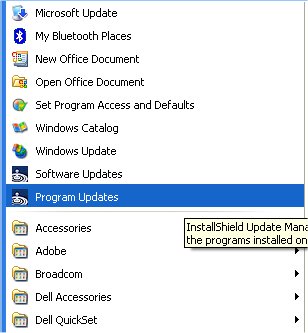
AIRA can be auto-updated without the need to uninstall and reinstall the software. Navigate to the Software Manager by selecting Program Updates from Windows Programs.
The Software Manager opens.
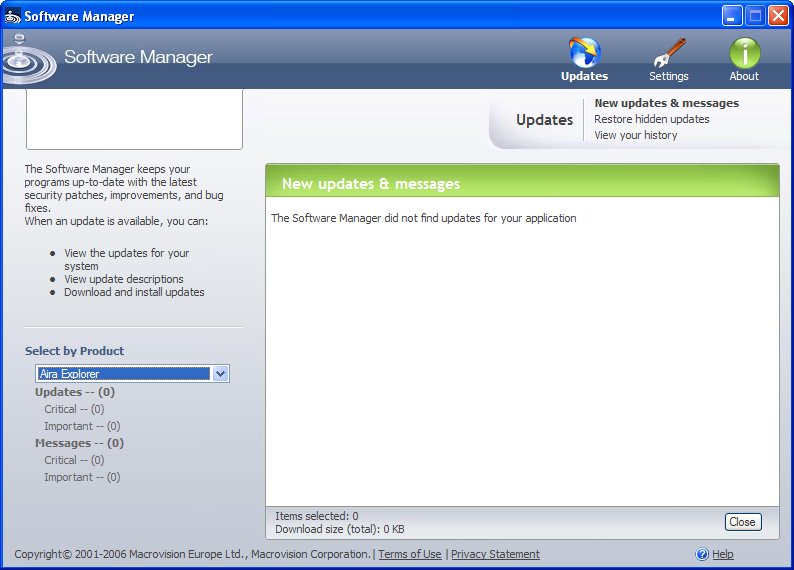
Select AIRA Explorer or AIRA Server updates to install.